zaazon
zaazon.com

Why Drone Propellers Wont Spin & How to Fix Them (Fast Guide)

Updated October 21, 2026
why drone propellers wont spin

Introduction

Why Drone Propellers Wont Spin & How to Fix Them
If you are all set to fly your drone and press the takeoff button, but the motors don’t spin or a propeller gets stuck, it can be a frustrating moment for new drone pilots.

It might appear that the drone’s internal circuitry has fried or the motor has completely failed, but in most cases, the issue is quite minor. The sensors, battery safety mechanisms, and propeller shafts in camera drones, and especially in beginner models are so sensitive that the system automatically shuts down the motors if it detects even the slightest resistance.

disclaimer

The zaazon.com is also a participant in the Amazon Services LLC Associates Program, an affiliate advertising program designed to provide a means for sites to earn advertising fees by advertising and linking to Amazon.com. I may earn a small commission for my endorsement, recommendation, testimonial, and/or link to any products or services from this website.

we will discuss 12 common reasons why drone blades fail to spin and how to fix them, enabling you to resolve these issues yourself at home.

1. Loose or Incorrectly Installed Propellers

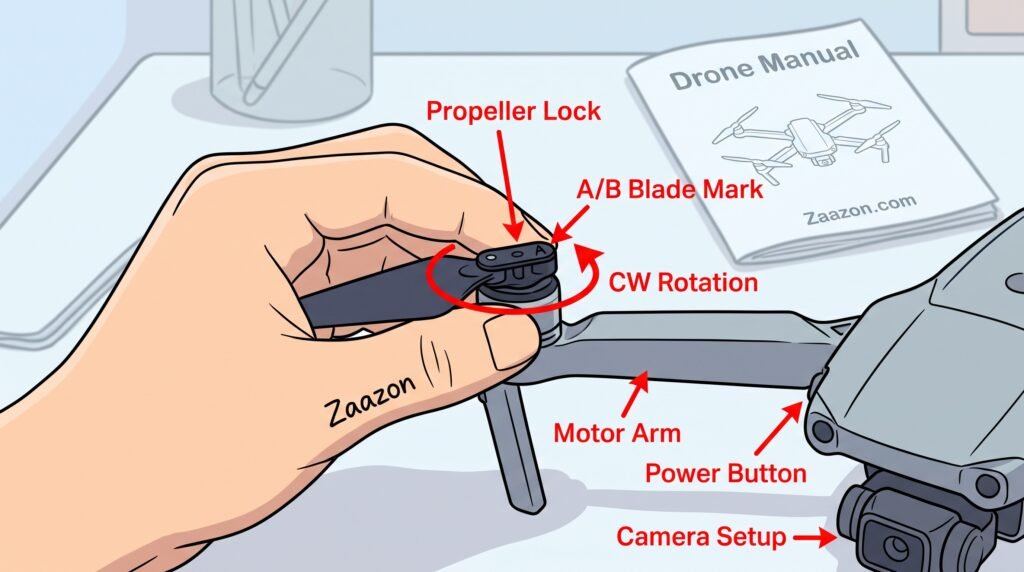
Drone propellers may look identical, but they are actually designed to spin in two different directions: Clockwise and counterclockwise. If a blade is installed upside down or isn’t locked correctly, the safety mechanism will prevent the motor from spinning at all.

Always match the small symbol (A or B) on the propeller with the corresponding mark on the motor arm. Gently press down on the blade and rotate it clockwise to ensure it fits securely into place.
why drone propellers wont spin

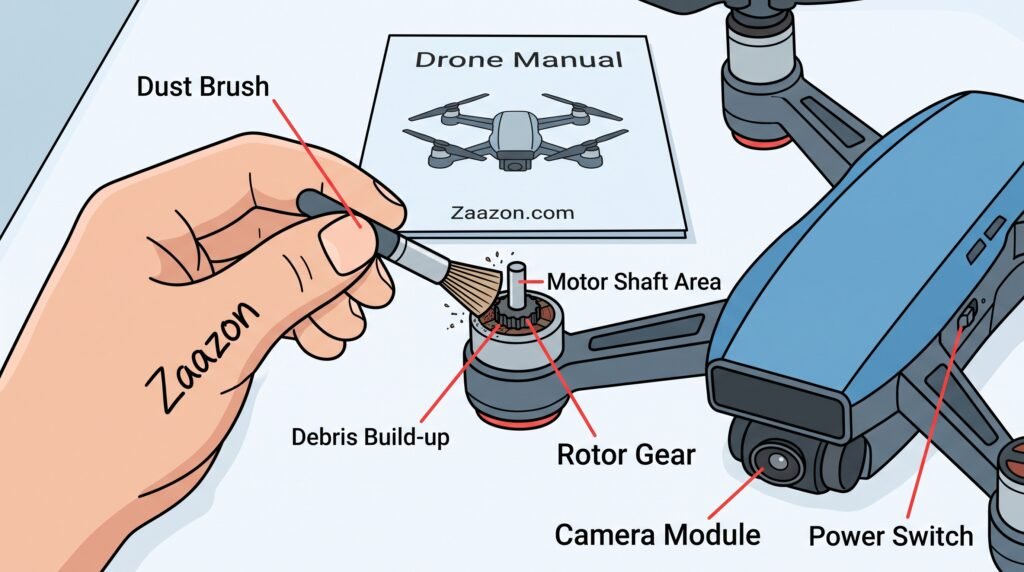
2. Dirt, Hair, or Debris Stuck in the Motor Shaft

If your drone has landed on rough ground or grass, small threads, human hair, or sand particles can get trapped in the motor gears and shaft. This waste can bind the motor so tightly that the propeller fails to spin, even when it receives power.

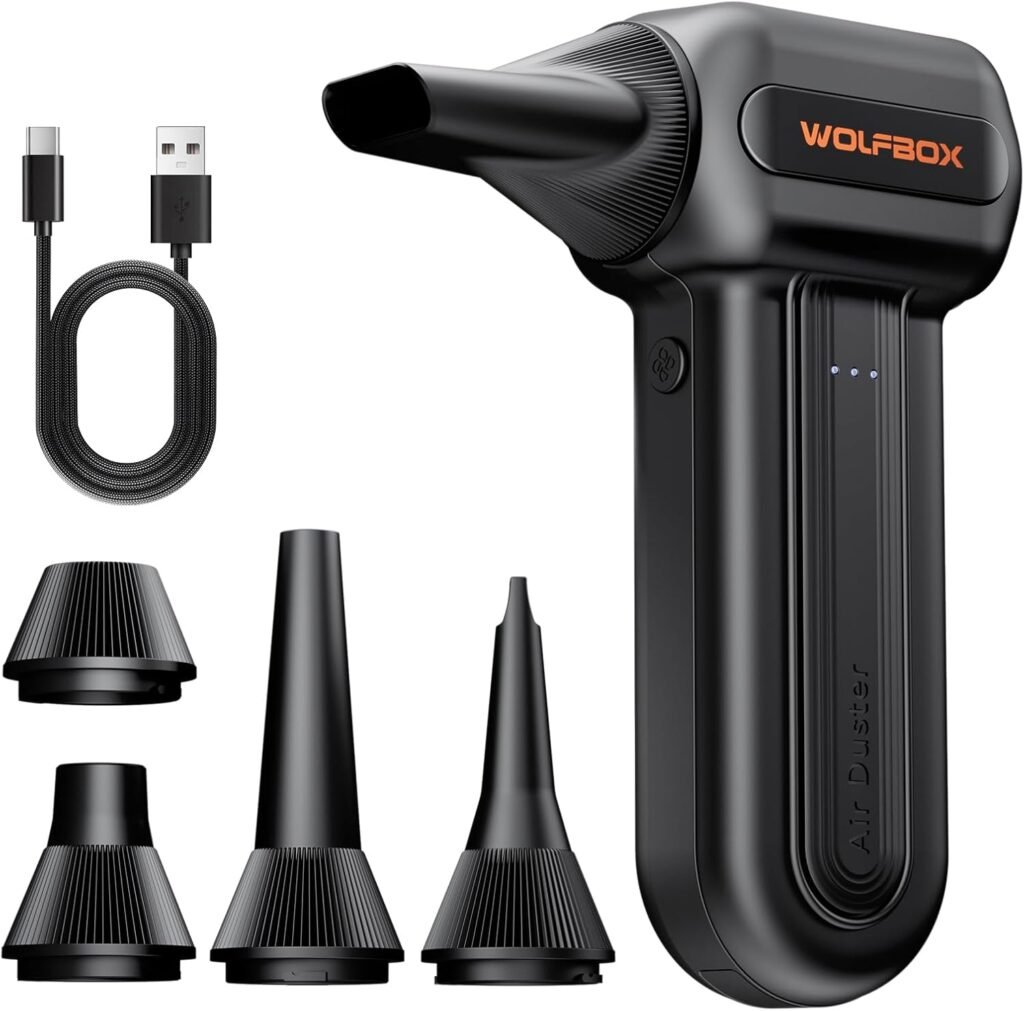
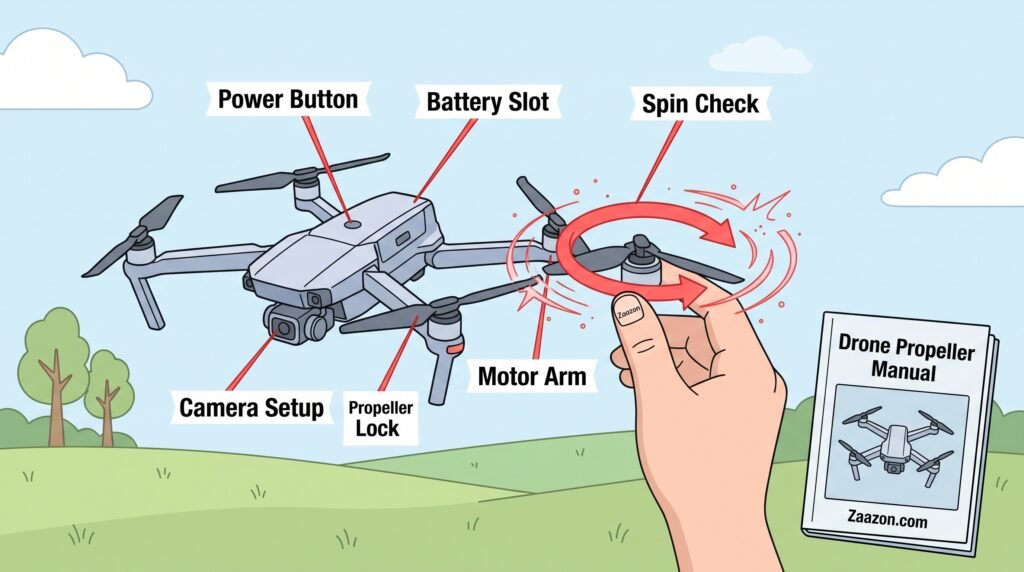
Try spinning each propeller with your finger. If you feel resistance in a motor, clean it using an air blower or a small brush. Remove the propeller blade and clear away any hair or waste from the internal shaft.
why drone propellers wont spin

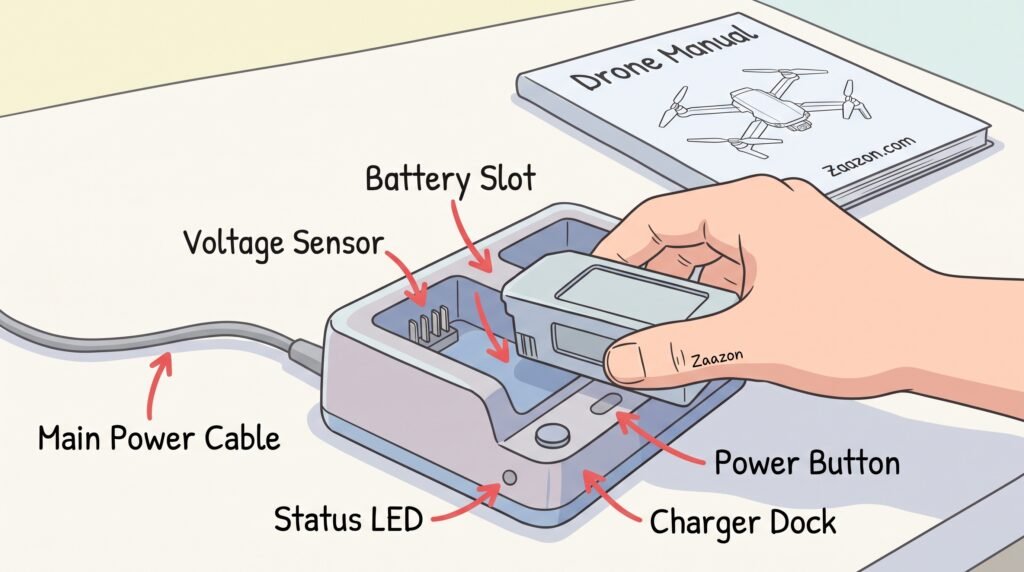
3. Drone Battery Entering Over-Discharge Protection Mode

If the drone battery’s voltage drops below a certain threshold or if it has remained unused for an extended period, its Smart Battery Management System cuts off full power delivery to the motors. While the app may show indicator lights, the motors will not start.

Remove the drone battery and charge it fully (to 100%) using the original charger. After charging, reinsert the battery into the drone and listen for a “click” sound to ensure it is properly seated.
why drone propellers wont spin

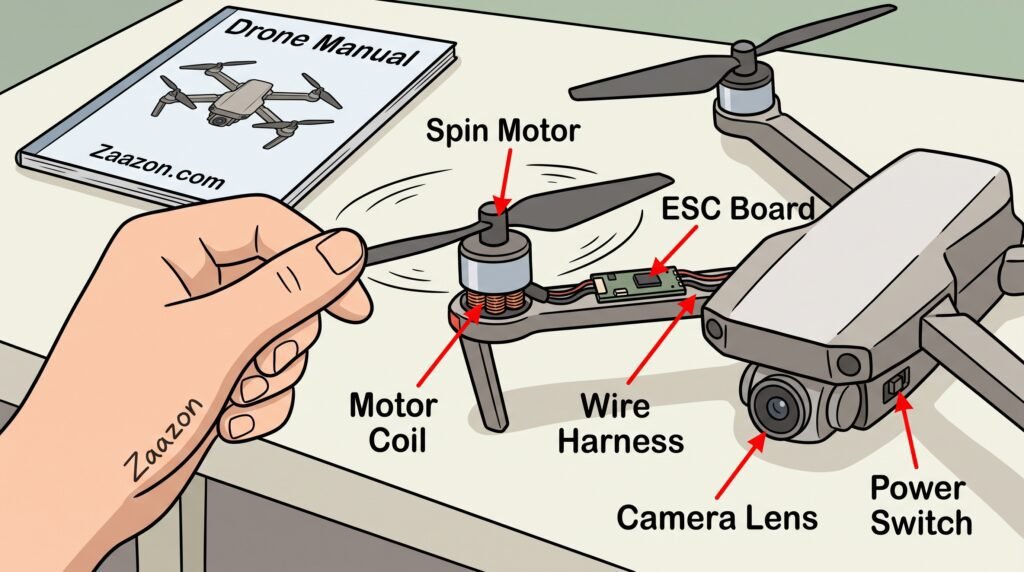
4. ESC (Electronic Speed ​​Controller) Connection Issues

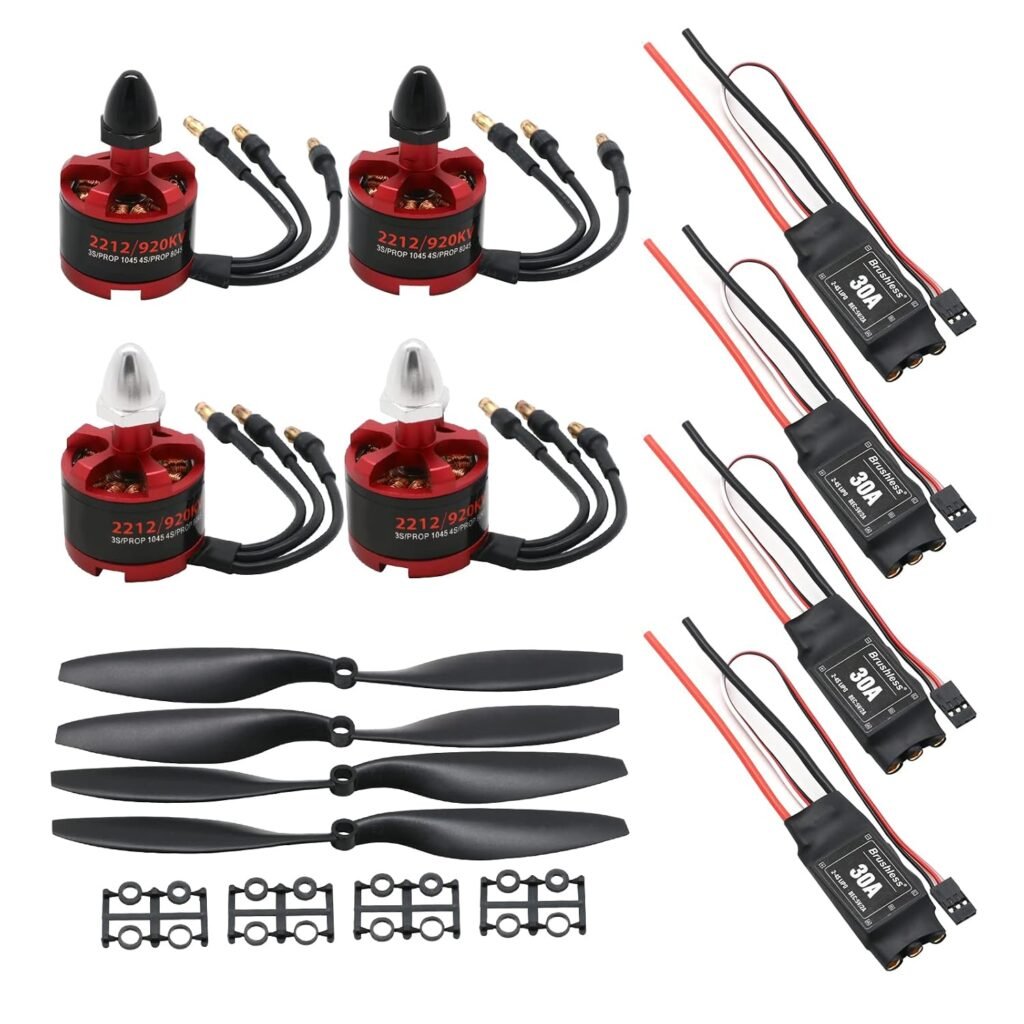
The Electronic Speed ​​Controller (ESC) is the core board that draws power from the battery and regulates the speed of all four motors. Even a minor drop or impact can cause the wires or connectors running from the ESC to the motors to come loose.

Without opening the drone’s casing, gently rotate the propellers by hand to check if any motor is overheating. If a specific motor shows no response at all, navigate to the controller menu in the app and check the ESC status.
why drone propellers wont spin

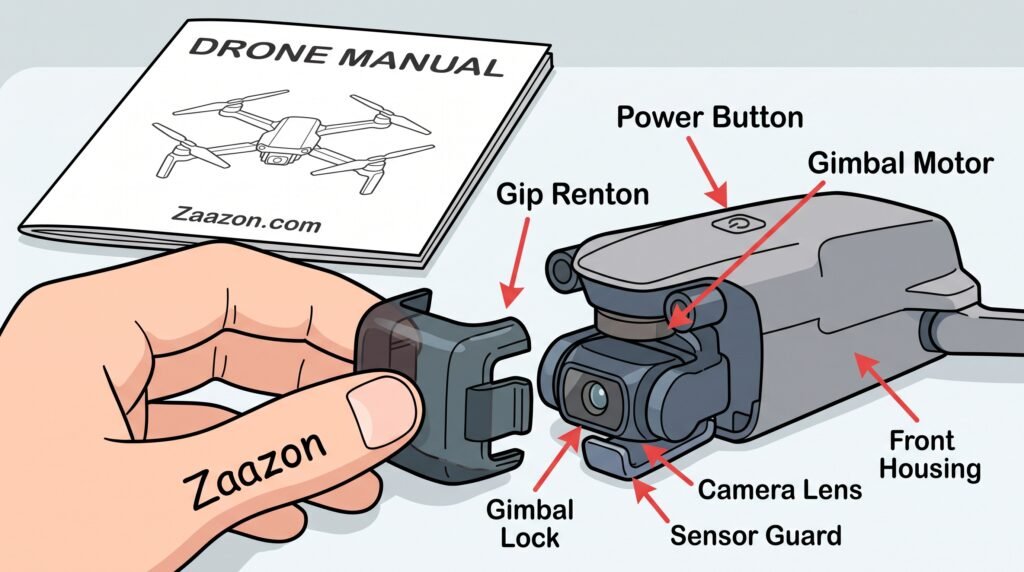
5. Gimbal Guard or Gimbal Lock Left On During Boot

Some smart drones feature a safety mechanism that automatically locks the system if the drone is powered on without first removing the camera protector (gimbal clamp); this prevents strain on the camera’s sensors. Always remove all plastic holders and guards from the camera and propellers before turning on the drone using the power button.
why drone propellers wont spin

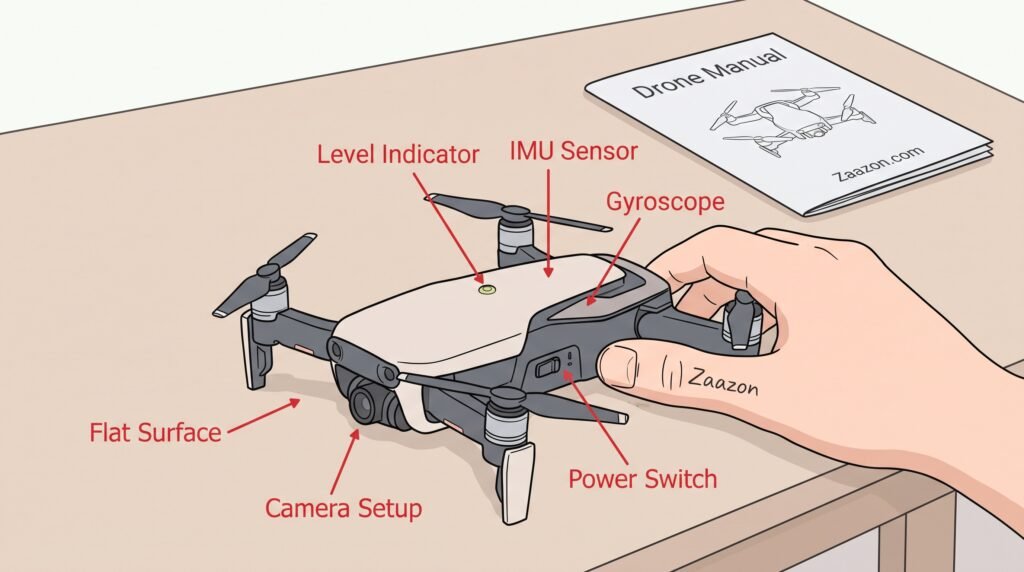
6. Uncalibrated Flight Controller and Sensors

If the drone’s gyroscope or IMU sensor detects that the drone is placed on an uneven or tilted surface, it will not supply power to the motors to prevent an accident.

Place the drone on a completely flat, level, and clean surface. Open the app, select the IMU/Gyroscope Reset option, and wait for the calibration to complete.
why drone propellers wont spin

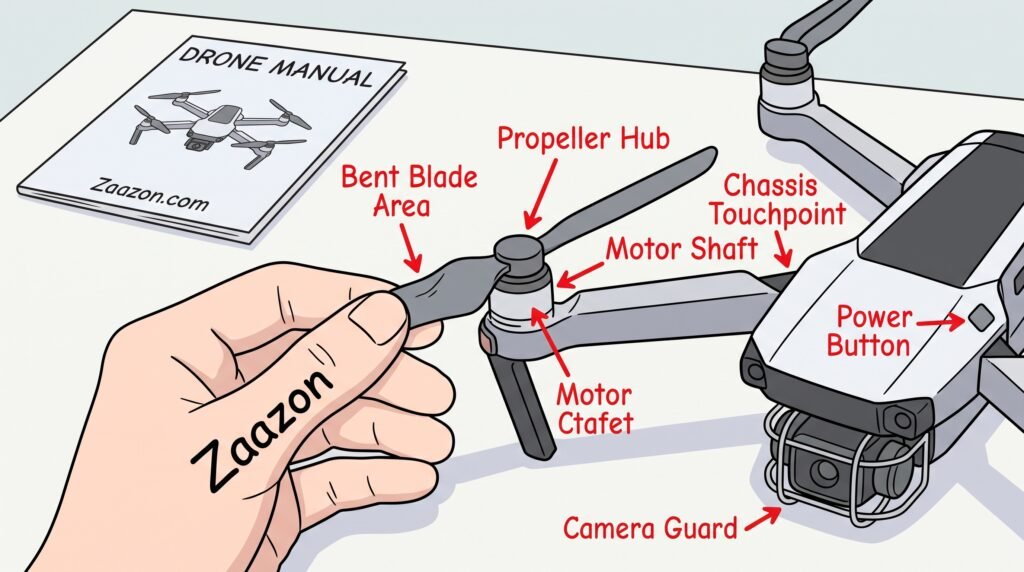
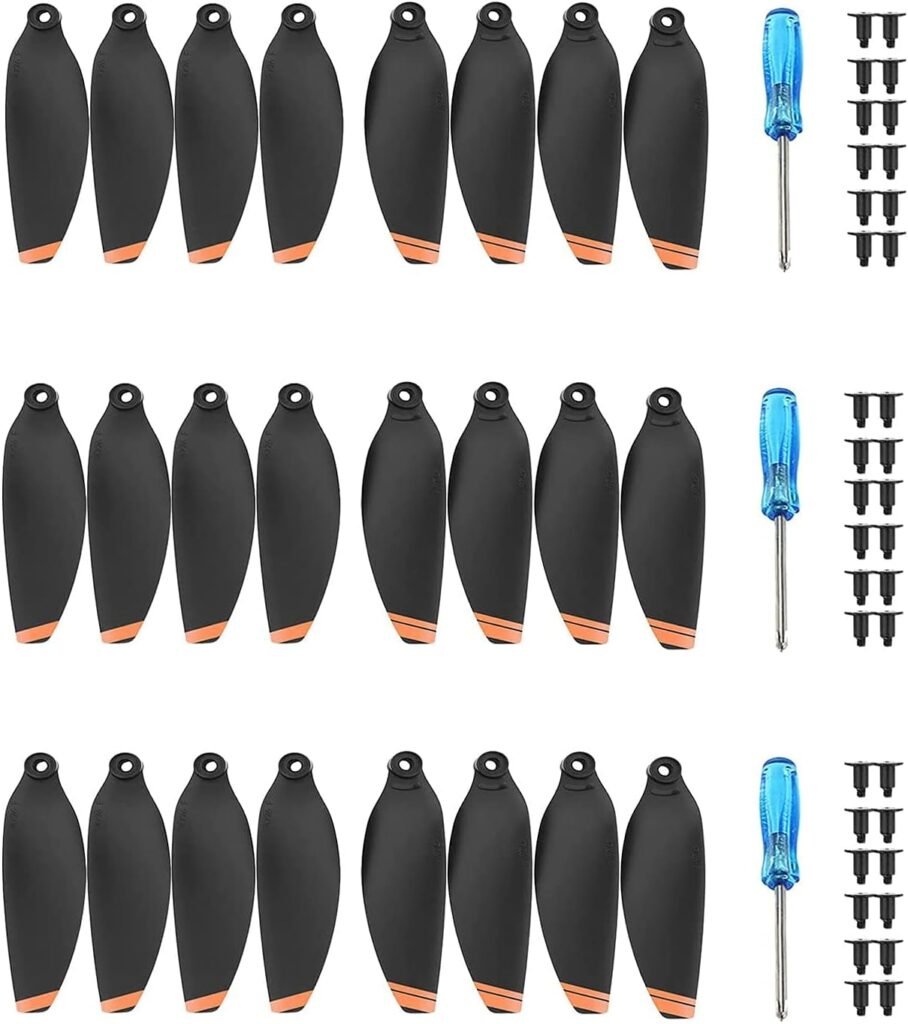
7. Bent or Damaged Propeller Blades Touching the Body

Sometimes, there are no visible major cuts on the propellers, but slight warping causes the blade to strike the drone’s body or guards while spinning. This minor friction causes the motor to stop spinning.

Straighten each blade and manually rotate the motor to check if any edge of the blade is touching the body. If a blade is bent, replace it immediately.
why drone propellers wont spin

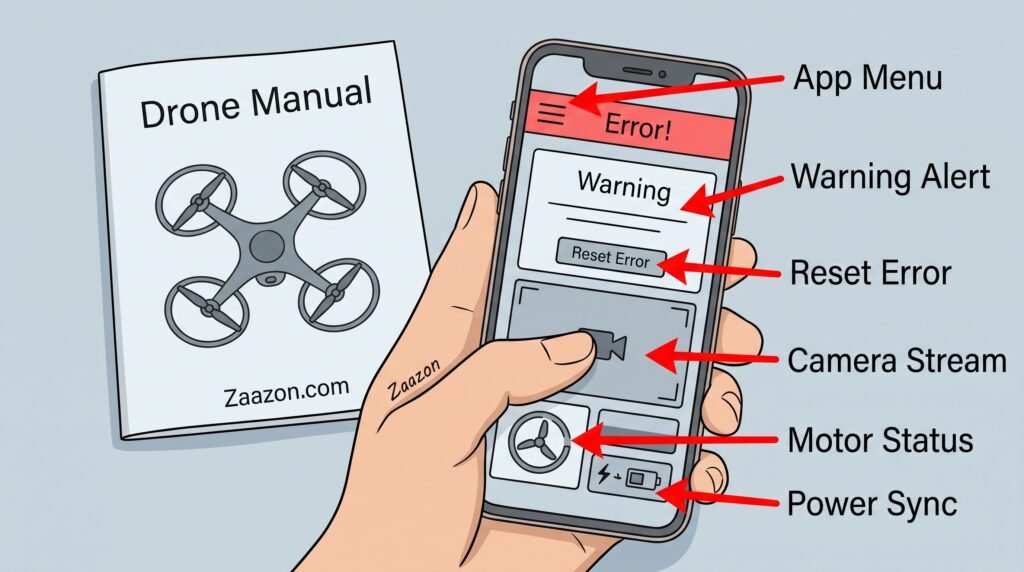
8. Motor Obstruction Lock Triggered in Mobile App

Modern drone apps display a “Motor Blocked” or “Obstruction Warning” message. Once this safety alert is triggered, the drone’s software will not send commands to the motors until you clear the error within the app.

Go to the app and click on the alert notification. Turn off and restart both the drone and the remote to reset the software’s security log.
why drone propellers wont spin

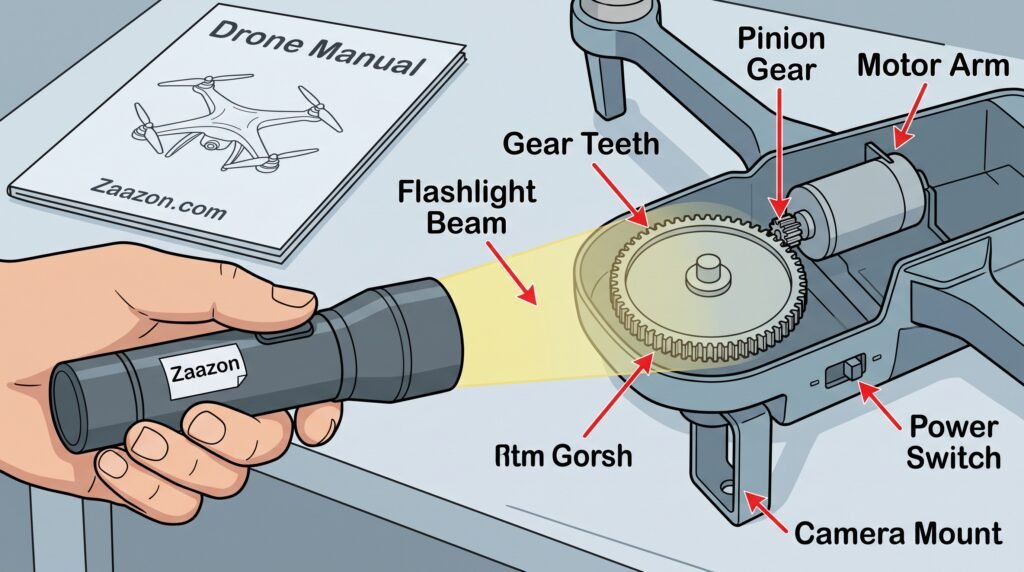
9. Damaged Gear Teeth in Brushed Motors

Small and budget drones utilize brushed motors equipped with small plastic gears. If the drone collides with an object during landing, the gear teeth can break; this results in the motor spinning while the propeller remains stationary.

Inspect the small gear located beneath the propeller closely. If any teeth are broken, you will need to replace the gear or the entire motor assembly.
why drone propellers wont spin

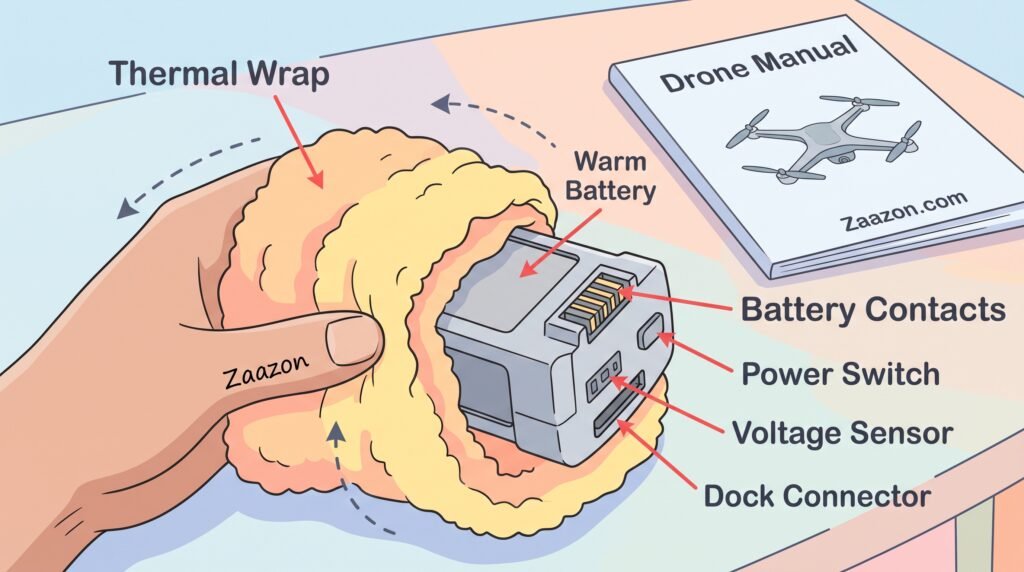
10. Battery Voltage Drop in Cold Temperatures

In very cold weather (below 5°C), the chemical reactions within lithium batteries slow down. This causes the voltage to drop so rapidly that the battery cannot supply the high current required for the motors to achieve takeoff.

Before flying in cold weather, warm the battery by keeping it in your pocket for a while, and insert it into the drone only after it has reached a normal temperature.
why drone propellers wont spin

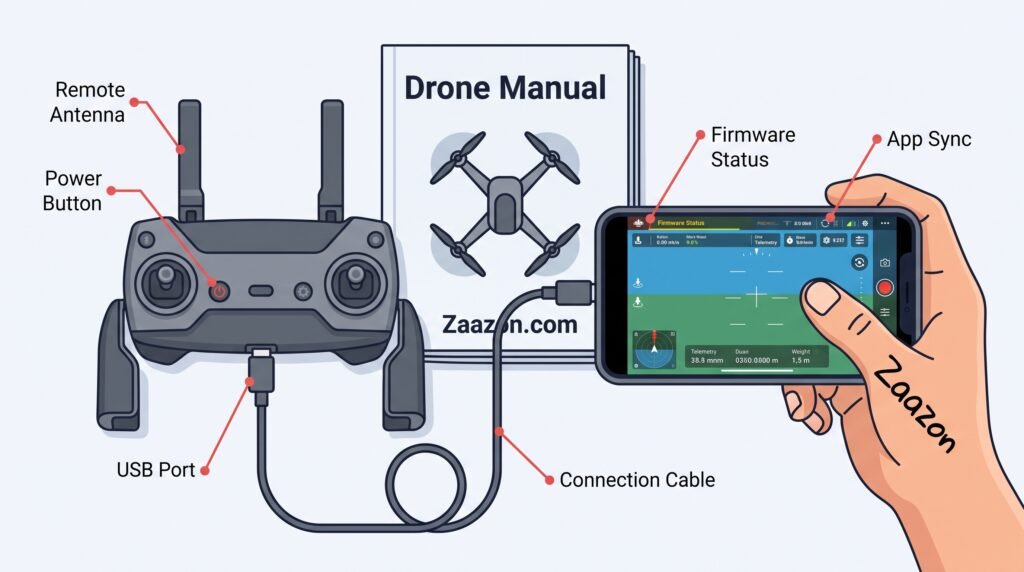
11. Firmware Update Conflicts or Pending Updates

If the drone’s firmware becomes outdated or an update is interrupted, the coding for the side motors may fail to synchronize. This results in two motors running while the other two remain inactive.

Connect the drone to your phone, enable the internet, and check the app for any pending firmware updates. Ensure the update completes fully (reaches 100%).
why drone propellers wont spin

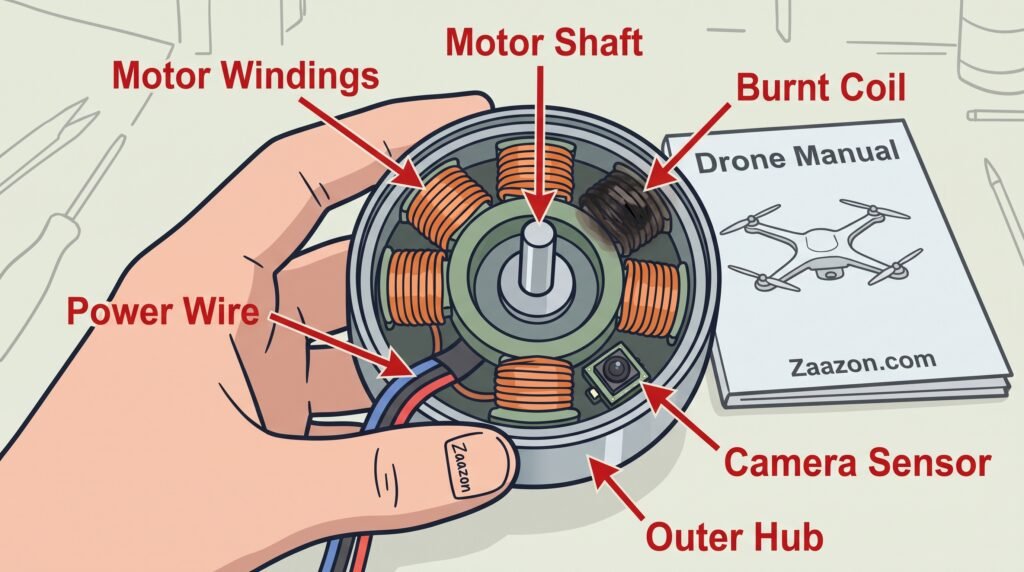
12. Burnt Motor Windings from a Severe Crash

If your drone previously collided with an object such as a tree or a wall and the power remained on while the motors were jammed, the internal copper windings of the motor may have burnt out.
why drone propellers wont spin

How Drone Motors Work and How to Care for Your Flying Machine at Home

To keep your camera drone flying high in the blue sky, it helps to understand how electric motors spin propeller wings and why they sometimes stop turning. A flying quadcopter relies on four small electric motors to lift its weight off the ground. These electric motors are different from the heavy engines inside cars. They use strong magnetic forces and small copper wire coils to turn tiny center shafts at very high speeds. When electric current flows from your drone battery into the motor wires, it creates a magnetic push that spins the motor hub thousands of times every single minute. This ultra-fast spin creates low air pressure above the plastic propeller wings, pulling your drone straight up into the outdoor air.

When a drone propeller refuses to spin, the main reason is often physical friction or small objects trapped inside the motor housing. Electric drone motors have small open gaps around their sides to let air cool down the spinning copper wires during flight. When your quadcopter lands on soft green grass, dry garden dirt, or sandy ground, tiny sand grains and grass blades can get sucked into these small cooling gaps. Even a single tiny pebble trapped between the outer magnet ring and the inner copper wire coil can block the motor pin from turning. Cleaning these cooling gaps with a soft brush or a quick puff of compressed air clears away trapped dirt, allowing the motor magnet to turn smoothly and spin the plastic propeller wing again.

Another very common reason why drone propeller blades stop turning is hidden internal wire damage or loose battery connections. Inside the slim carbon plastic arms of your drone, thin colored copper wires connect each motor to the main electronic flight control board. If your quadcopter bumps into a tree branch or lands hard on the ground, the impact can loosen the tiny metal plugs or bend the internal motor shaft. Furthermore, electronic speed controllers (ESCs) act like small brains for each motor, sending exact electrical signals to regulate spinning speed. If one motor receives a wrong signal or gets too hot during flight, the internal chip automatically shuts down power to that specific motor to prevent the main battery from catching fire.

Taking small care steps before and after every flight keeps your drone motors in perfect shape for many years. Always launch and land your quadcopter on a clean, flat landing pad or a smooth wooden board rather than directly on long grass, wet mud, or loose sand. After you finish flying for the day, give each plastic propeller blade a gentle flick with your finger. Every blade should spin freely without making grinding noises or sticking in place. If one motor feels stiff or stops spinning earlier than the other three, clean it carefully before plugging in your battery again. By keeping your electric motors clean, dry, and free from sand, you ensure your flying camera stays safe, responsive, and ready for exciting outdoor movie adventures every time you press the takeoff button.

FAQ

Does a drone propeller failing to spin mean the motor has burnt out?

No. In most cases, the motor has not burnt out; rather, hair, thread, or dirt may have become trapped inside. Using the wrong propeller (A or B) can also cause it to jam.

How can I check if a drone motor is jammed?

Turn off the drone and try spinning all four propellers by hand. If any propeller feels stuck or obstructed, it is likely due to debris trapped inside or a broken gear.

What should I do if a "Motor Blocked" error appears in the drone app?

Turn off the drone and clear any debris from the propeller. Afterward, restart both the drone and the remote control, then clear the error within the app.

Can cold weather cause a drone's motors to stop working?

Yes. In extreme cold, the battery voltage drops, preventing the motors from receiving sufficient power. Before flying, keep the battery in your pocket to keep it warm.

Get today’s recommendation

Get expert tips, great offers and the rated products we’ve recently tried. All delivered to your email every day.

Enter your Email

for our newsletter